Safe to download, easy to use
Windows apps from Samy Tools, ready to download directly from this page.
By downloading, you agree to the Terms of Service.
Glide
A notepad that opens huge files instantly.
5.01 ratingA good-looking notepad that opens huge files instantly by reading them in chunks.
- Opens huge files instantly
- Reads files in chunks instead of all at once
Requires 64-bit Windows 10 or later
Download Glide- Scanned before publishing
- Open the VirusTotal report
- Get help on Discord
By downloading, you agree to the Terms of Service.
Version history and SHA-256 checksums
-
Version 1.0.07 Nov 2026, 98.7 MB
- First release
5030b5c703a1b36c64f061915069fe1262d68f68698a08e16c9f173795a7dceaThe VirusTotal report scans the program inside this download, so its fingerprint differs from the one above.
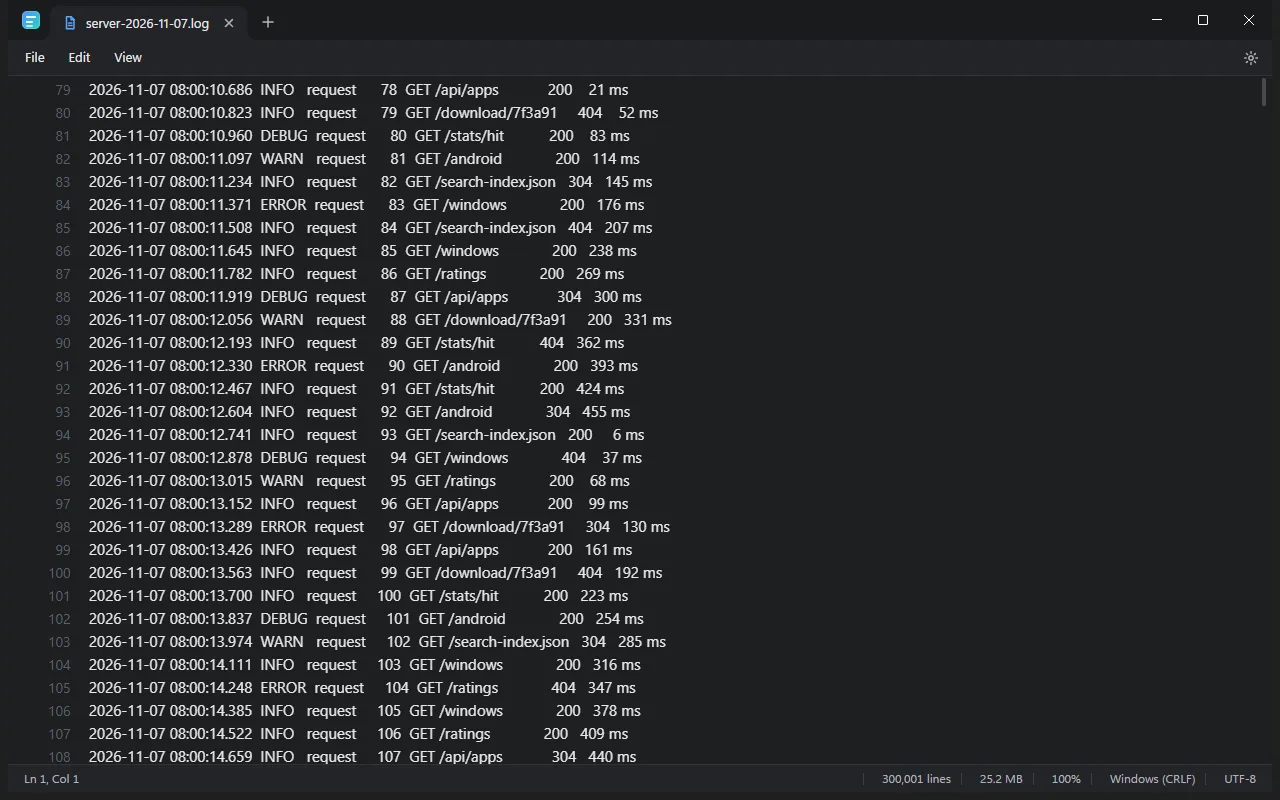
- Opens huge files instantly
- Reads files in chunks, not all at once
- Open several files in tabs
- Shows lines, size and encoding
No viruses, adware or hidden extras
We build these apps ourselves and publish them here directly. You get the same file we scanned, with nothing added on the way.
-
No viruses or malware
We don't put viruses, spyware or crypto miners in our apps. Every file is scanned before it goes on this site.
-
Nothing bundled
No toolbars, adware or offers for other software. You only get the app you chose.
-
Public scan reports
Each version links to its VirusTotal report, so you can see what dozens of antivirus engines say about the file.
-
A checksum for every file
Each version lists its SHA-256, so you can confirm your download is exactly the file we published.
No scan can catch everything, so keep your own antivirus switched on and only download our apps from this site.
Installing a Windows app
Three steps, and you can check the file before you run it.
Download the file
Use the Download button for the app you want. The file usually goes to your Downloads folder.
Compare the checksum
Run the command below in PowerShell. The result should match the SHA-256 listed for that version.
Run the setup
Open the file and follow the setup steps, or extract it first if it's a .zip. If SmartScreen warns you and the checksum matches, select More info, then Run anyway.
Get-FileHash "$HOME\Downloads\Glide-Setup-1.0.0.exe" -Algorithm SHA256Download and safety questions
Plain answers to what people ask most.
Are these apps free of viruses?
Yes. We don't put viruses, spyware or adware in our apps, and we scan every file before we publish it. You can also open each version's VirusTotal report and check it yourself.
Why did my antivirus flag a file?
Antivirus tools sometimes flag new apps from small developers by mistake. Compare the file's SHA-256 with the one on this page and open its VirusTotal report. If you're still unsure, don't run the file and ask us on Discord.
Why does Windows SmartScreen show a warning?
SmartScreen warns about apps that it hasn't seen many people run yet. The warning doesn't mean a virus was found. If the checksum matches, select More info, then Run anyway.
How can I tell a file hasn't been changed?
Compare your file's SHA-256 with the one listed for that version. If the two match, you have exactly the file we published. Copies from other websites may not match.
Do I need an account or have to pay?
No. Our apps are free to download and you don't need an account. Just choose an app and press Download.
Where can I get help with an app?
Join our support server on Discord and ask there. You can report a problem, ask a question or suggest an idea.
How can I tell other people what I think?
Rate any released app on our Ratings page. You choose the stars, and you can add a comment if you want to.