Fake Call
Fake incoming call that looks like your real phone, to get out of anything
Version 1.0.0 · 3.6 MB · 16 Nov 2026
By downloading, you agree to the Terms of Service.
Schedule a fake phone call from anyone. It rings with your own ringtone and shows your phone's real call screen, so nobody can tell it's not a real call.
Stuck in a meeting that won't end, an awkward date, or a conversation you can't leave? Set who calls (Mom, Boss, anyone), pick when it rings (10 seconds, 10 minutes or an exact time) and put your phone away. The call arrives on time, even with the app closed or the phone locked. It's your polite excuse to step out.
The call screen matches your phone automatically: Samsung, vivo, Xiaomi, Redmi, POCO, OPPO, OnePlus, realme and Google Pixel each get their own real-looking screen. Answer it and the timer runs, the screen goes dark at your ear, and a voice you recorded can play as the caller.
No ads, no account, no internet permission. Everything stays on your phone.
- Fake incoming call that looks exactly like your phone's own call screen
- Matches Samsung, vivo, Xiaomi, Redmi, POCO, OPPO, OnePlus, realme and Pixel
- Rings with your phone's real ringtone and vibration
- Schedule the call: 10 seconds, minutes, or an exact time
- Works with the app closed and the phone locked
- Set caller name, number, label and photo
- Record a caller voice that plays when you answer
- Answer, mute, speaker and keypad work like a real call
- Quick call from the Quick Settings tile or by holding the app icon
- Ring again if missed
- Hide the app as Calculator, Clock, Notes and more
- No ads, no account, no internet permission
Requires Android 8.0 or newer
- Scanned before publishing
- Scan this on VirusTotal
- Be the first to rate this app
- Get help with Fake Call
Version history and SHA-256 checksums
-
Version 1.0.016 Nov 2026, 3.6 MB
77ca164f1b9a43fb4a0b0c2f6c026682edc96cac3ed27cf5613283b2f9d3a0e4
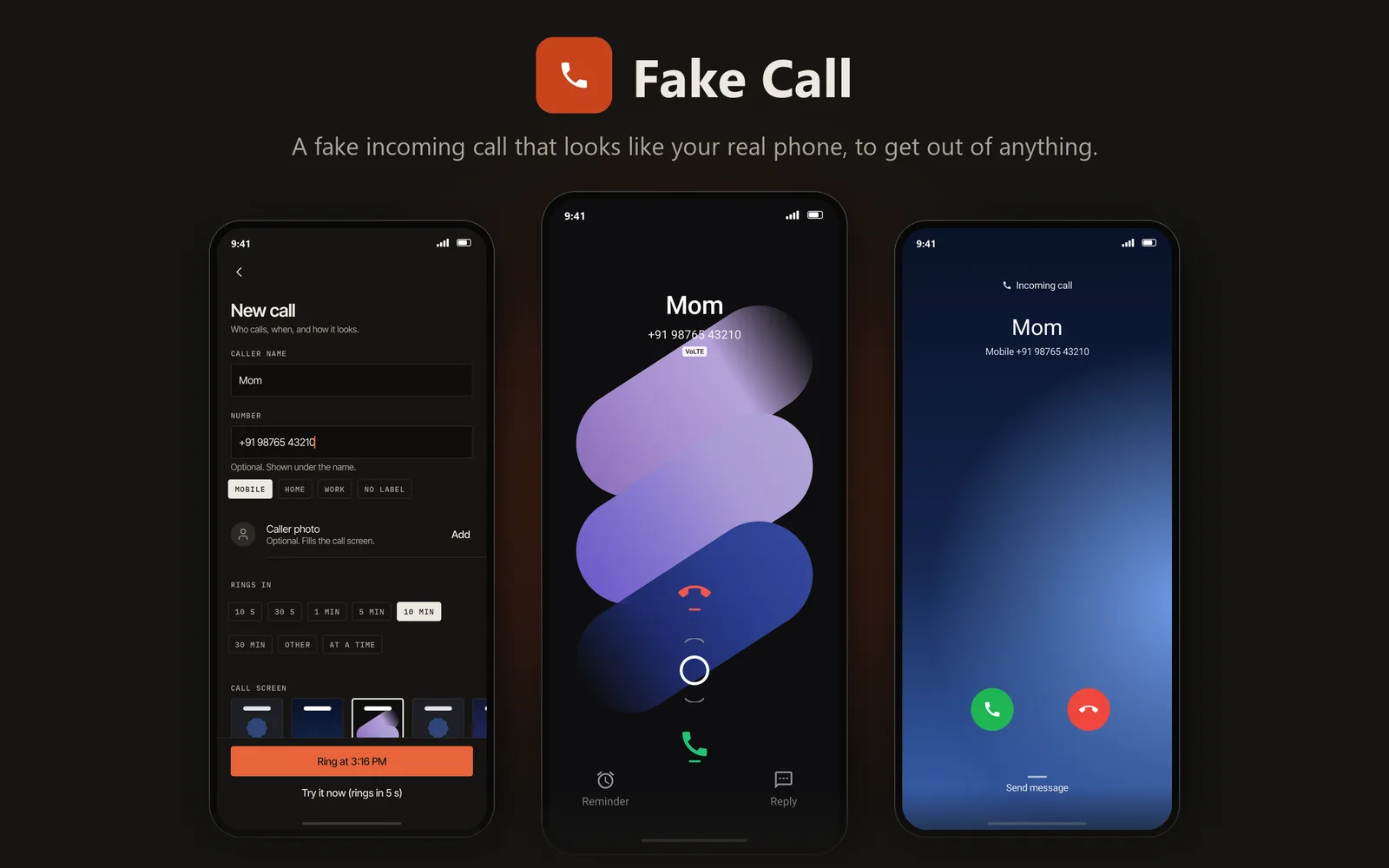
- Looks like your phone's real call screen
- Your excuse to leave any meeting or date
- Rings with your own ringtone
- No ads, no internet permission
Installing an Android app
Three steps, and you can check the file before you install it.
Download the APK
Open this page on your phone and tap the Download button for the app you want.
Allow this install
The first time, Android asks for permission to install from your browser. Turn on Allow from this source.
Open and install
Open the downloaded file and tap Install. To check it first, run the command below on a Windows PC.
certutil -hashfile "FakeCall-1.0.0.apk" SHA256