Useful little browser extensions
Free browser extensions from Samy Tools, ready to download directly from this page.
-
About
Detour: Proxy Switcher & Free Proxy
Free proxy extension for Chrome and Edge: switch proxies and change the IP websites see in one click.
Open any app for its features, screenshots and version history.
Post Office: free temp mailYour own @samytools.com email in seconds.
Detour: Proxy Switcher & Free Proxy
Free proxy extension for Chrome and Edge: switch proxies and change the IP websites see in one click.
Your browser asks "Add Detour: Proxy Switcher & Free Proxy?" before installing. No download needed.
Detour is a free proxy switcher and proxy manager for Chrome, Edge, Brave and Opera. Connect through a proxy in one click and change the IP address and country websites see.
Save all your proxies in one place and switch between them instantly. Paste them in any format: HTTP, HTTPS, SOCKS4 or SOCKS5, with or without a username and password (host:port, host:port:user:pass, user:pass@host:port).
No proxy of your own? Click "Use a free proxy" and Detour finds a free proxy that's working right now. No sign-up needed.
Detour shows your current IP address and country, so you can check your proxy is working. It tests every proxy before connecting, so a dead proxy never cuts off your internet, and it tells you plainly why a proxy failed: not answering, too slow, wrong password or address not found.
Your proxies and passwords stay in your browser. No account, no ads, no tracking.
Good to know: a proxy can see which sites you visit, so use proxies you trust. Detour isn't a VPN; it only changes how your browser connects.
- One-click proxy switcher
- Free proxy, no sign-up
- Shows the IP address and country websites see
- HTTP, HTTPS, SOCKS4 and SOCKS5 proxies
- Paste proxies in any format, like host:port:user:pass
- Logs in to HTTP proxies with a username and password
- Checks a proxy before connecting, so you're never cut off
- Tells you why a proxy isn't working
- Disconnect in one click
- No account, no ads, no tracking
Requires Chrome, Edge, Brave, Opera or another Chromium browser (version 108 or later)
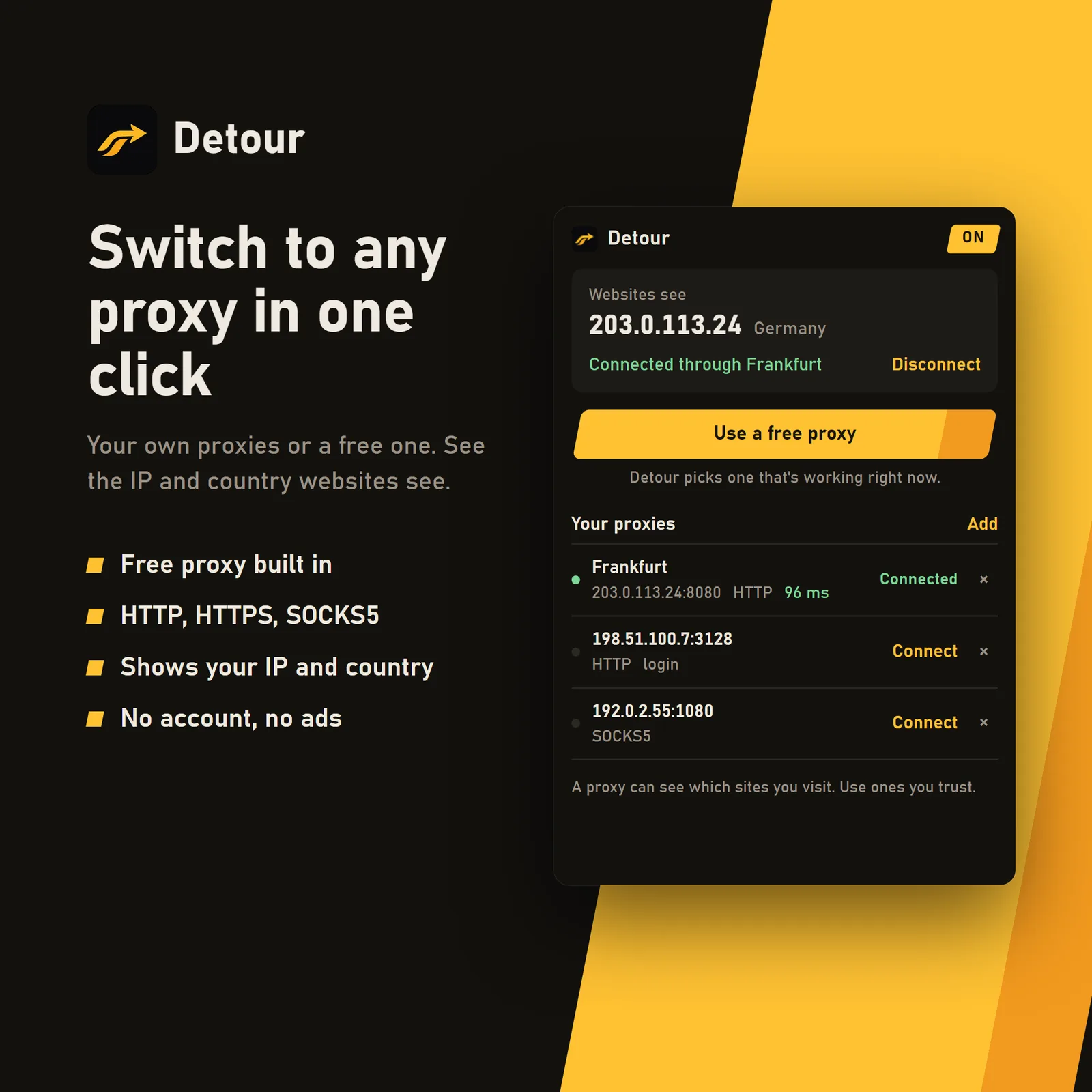
- One-click proxy switcher
- Free proxy built in
- Shows your IP and country
- No account, no ads
Why choose our extensions?
Small, focused extensions from a developer you can actually talk to.
Each app does one job well
No bloat, no feature maze. Every app here is built for one task, so there's less to load and less to learn.
You talk to the person who makes it
Questions and bug reports go straight to the developer through a support ticket, not to a call centre or a bot.
Your ideas can become features
Missing something? Suggest it from the search bar. Every idea is read, and the good ones become the next update or the next app.
Nothing hidden, nothing to sign in to
No account, no ads bundled into the download. Every version lists its SHA-256 checksum and the VirusTotal report for that exact file.
Scanned before every release, nothing bundled
We build these apps ourselves and publish them here directly. You get the same file we scanned, with nothing added on the way.
-
Scanned by about 70 antivirus engines
Every release goes to VirusTotal, where about 70 antivirus engines check it, before it goes on this site. We never add spyware, adware or crypto miners.
-
Nothing bundled
No toolbars, adware or offers for other software. You only get the app you chose.
-
Public scan reports
Each version links to the VirusTotal report for that exact file, so you can see what every engine says.
-
A checksum for every file
Each version lists its SHA-256, so you can confirm your download is exactly the file we published.
No scan can catch everything, so keep your own antivirus switched on and only download our apps from this site.
Installing a browser extension
With an Add to Chrome or Add to Edge button it's one click. Otherwise, three steps.
Add it from the store
Use Add to Chrome or Add to Edge, then choose Add extension when your browser asks. That's all. Brave and Opera can install from the Chrome Web Store too.
No store button? Download and unzip
Use the Download button, then extract the .zip to a folder you'll keep, and check its SHA-256 with the command below.
Load the folder
Open chrome://extensions or edge://extensions, switch on Developer mode, select Load unpacked and choose the folder you extracted.
Get-FileHash "$HOME\Downloads\extension.zip" -Algorithm SHA256Download and safety questions
Plain answers to what people ask most.
Are these downloads safe?
We build every app ourselves and never add spyware, adware or crypto miners. Each release is scanned by about 70 antivirus engines on VirusTotal before it's published, and each version links to its report so you can check it yourself. No scan catches everything, so keep your own antivirus on too.
Why did my antivirus flag a file?
Antivirus tools sometimes flag new apps from small developers by mistake. Compare the file's SHA-256 with the one on the app's page and open its VirusTotal report. If you're still unsure, don't run the file and open a support ticket.
Why does my browser mention Developer mode?
Chrome and Edge remind you about extensions that weren't installed from their own store. The reminder doesn't mean anything was found, but it's a good moment to check the file: compare its SHA-256 with the app's page and open its VirusTotal report. If they don't match, or you're unsure, don't load it.
How can I tell a file hasn't been changed?
Compare your file's SHA-256 with the one listed for that version. If the two match, you have exactly the file we published. Copies from other websites may not match.
Do I need an account or have to pay?
No. Our apps are free to download and you don't need an account. Just choose an app and press Download.
Where can I get help with an app?
Open a support ticket: pick the app, say what's wrong, and read the reply on your ticket's page. No account needed. You can report a problem, ask a question or suggest an idea.
Who makes these apps?
Read about the developer behind Samy Tools on the About page.
How can I tell other people what I think?
Rate any released app on our Ratings page. You choose the stars, and you can add a comment if you want to.