
Slate
Pack files into small archives and unpack ZIP, RAR, 7Z and more in a flash.
5.01 ratingVersion 1.0.0 · 8.0 MB · 8 Nov 2026
By downloading, you agree to the Terms of Service.
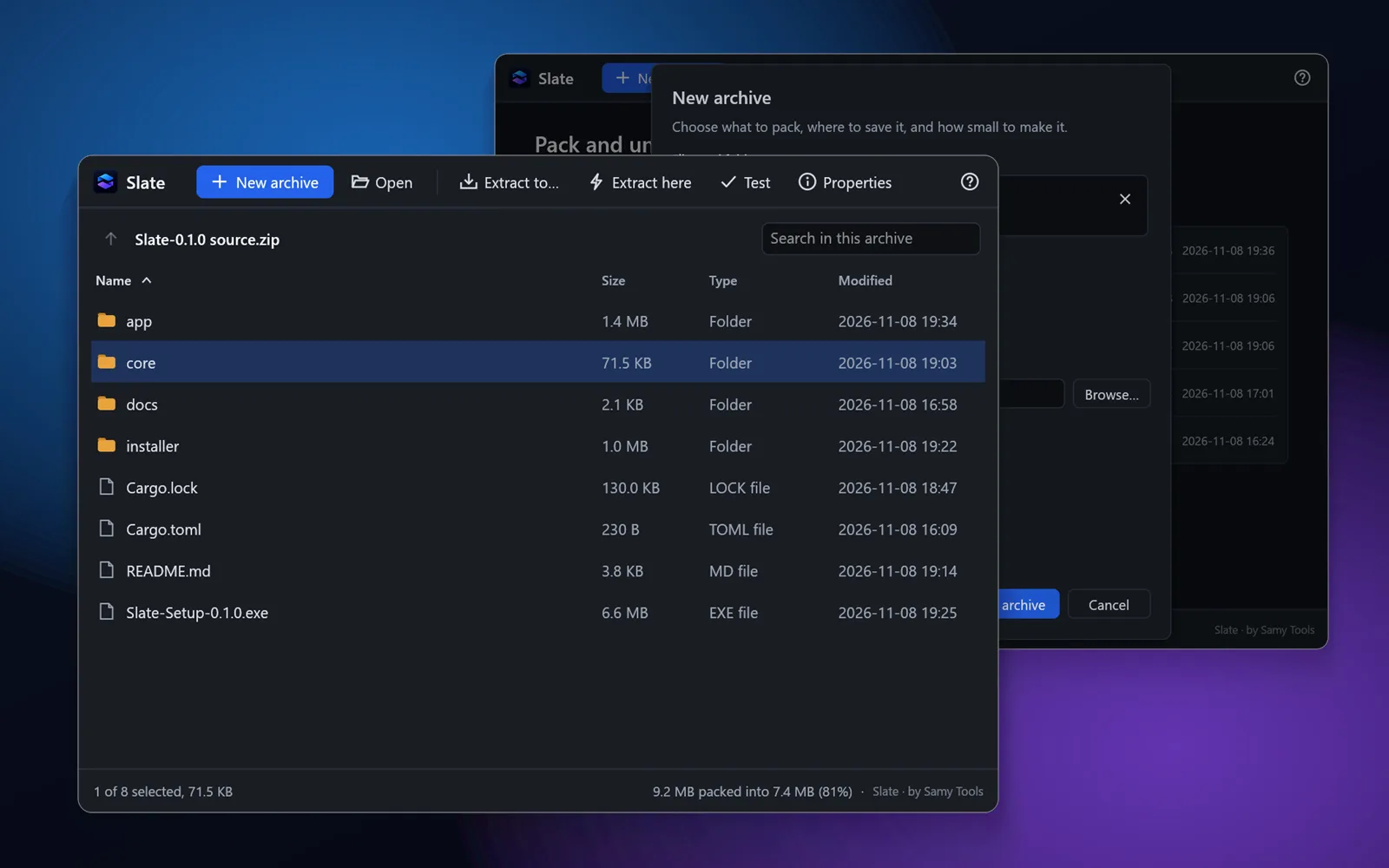
Slate is a fast, simple archiver for Windows. Pack files and folders into a .slt archive, or a .zip anyone can open, with an optional AES-256 password that hides the file names too. Open ZIP, RAR, 7Z, TAR and GZ archives, look inside, and extract all of them or just the files you need.
Slate uses every core of your processor at once. On our test PC, with a hard disk and 351 MB of mixed files, it extracted in 2.9 seconds, against 4.1 for WinRAR and 6.5 for 7-Zip. It packed the same files in 4.3 seconds, against 13.0 and 49.2.
Right-click any file in Explorer to compress it or extract it in one click.
- Create .slt archives (fastest) or .zip archives (open on any PC)
- Opens ZIP, RAR (including multi-part), 7Z, TAR, GZ, BZ2 and XZ
- AES-256 passwords, with file names hidden in .slt archives
- Extract everything, or only the files and folders you pick
- Extract here, or into a folder named after the archive
- Right-click menu in Windows Explorer
- Search inside an archive and sort by name, size, type or date
- Test an archive to check every file is intact
- Double-click a file inside an archive to open it
- Light and dark mode, following Windows
- Command-line tool (slatec) for scripts and backups
Requires Windows 10 or later, 64-bit
- Scanned before publishing
- Scan this on VirusTotal
- Get help with Slate
Version history and SHA-256 checksums
-
Version 1.0.08 Nov 2026, 8.0 MB
ab9aca0028b9704a81391d182244f5d28e03953e32f3d248c03f27ec827ca739
- Extracts faster than WinRAR in our test
- AES-256 password protection
- Right-click to compress or extract
- Opens ZIP, RAR, 7Z, TAR and more
Installing a Windows app
Three steps, and you can check the file before you run it.
Download the file
Use the Download button for the app you want. The file usually goes to your Downloads folder.
Compare the checksum
Run the command below in PowerShell. The result should match the SHA-256 listed for that version, and its VirusTotal report should show the same fingerprint.
Run the setup
Open the file and follow the setup steps, or extract it first if it's a .zip. Windows may show a SmartScreen notice for a new app; the questions below explain what it means.
Get-FileHash "$HOME\Downloads\Slate-Setup-1.0.0.exe" -Algorithm SHA256